How it works

Watch a consultation and a patient's home therapy in the real app, or follow the steps below.

0:00

Step by step

From the consultation to the patient's living room, and back to you.

  1. 1

    You test in the practice

    Digital tests run on the tablet and your screen during the consultation. Each one scores itself.
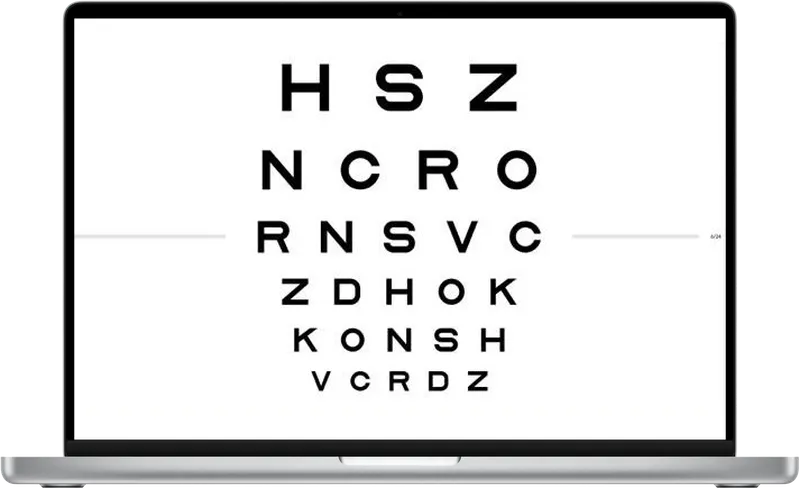
    A distance visual acuity chart from Eyeli on a laptop screen
  2. 2

    Everything lands in the record

    Results save straight into the patient’s record, next to your notes. The report is ready before they leave.
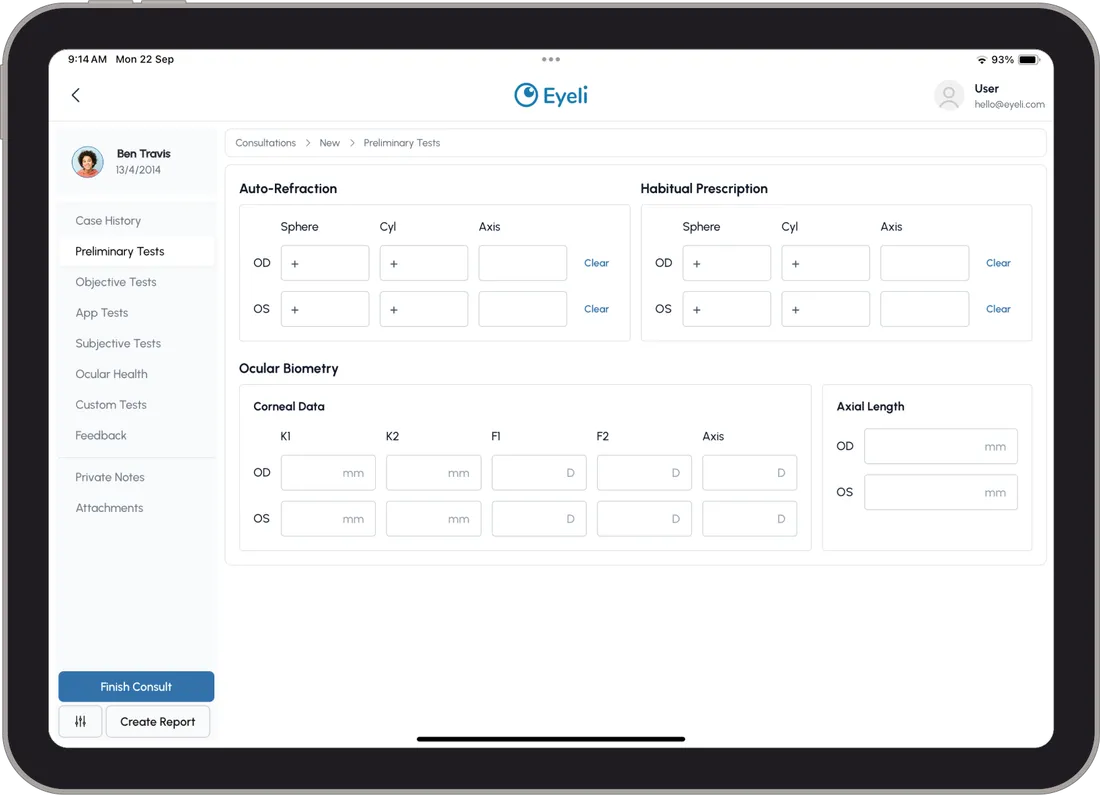
    A patient’s consultation in the Eyeli electronic health record
  3. 3

    The patient does their exercises at home

    On their own laptop or tablet, with a secure login, on the schedule you set.

    A little girl laughing as she taps a tablet on her lap
  4. 4

    Results sync back automatically

    Every session, with its score and time spent, appears in the patient’s record. Nothing to upload or send.
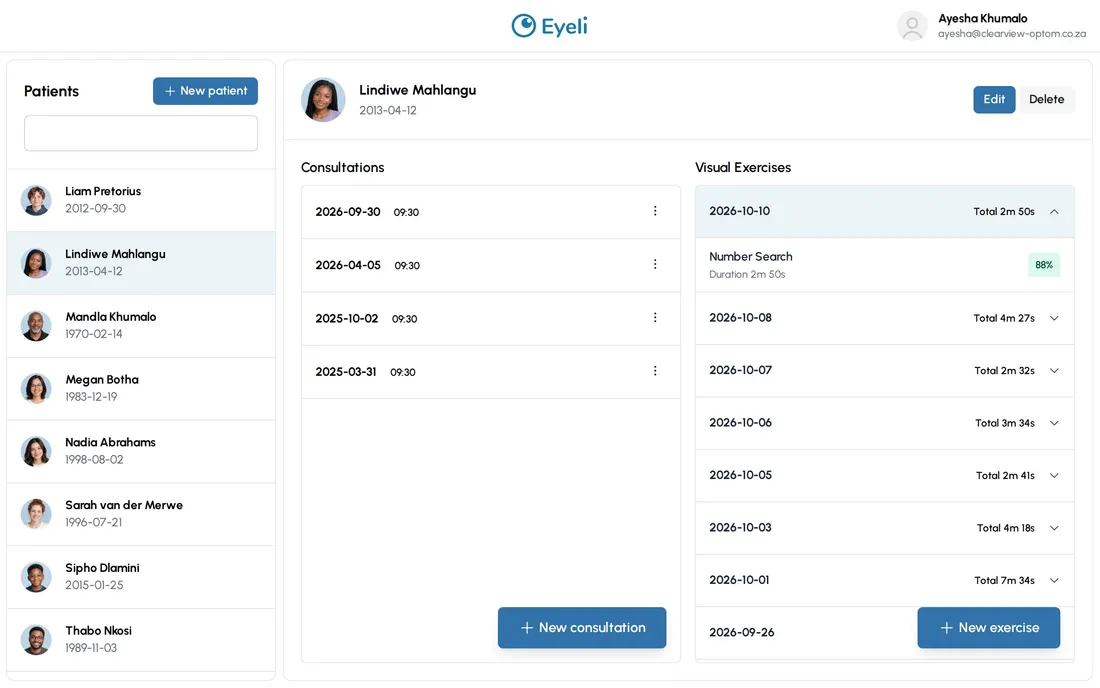
    A patient’s page in Eyeli with their home exercise sessions listed by date

What practices usually ask us

The questions that come up most when optometrists see Eyeli for the first time.

Can I still use my existing equipment?

Yes. Anything you measure on your own equipment, like retinoscopy or a cover test, is typed into the same consultation, next to the digital results.
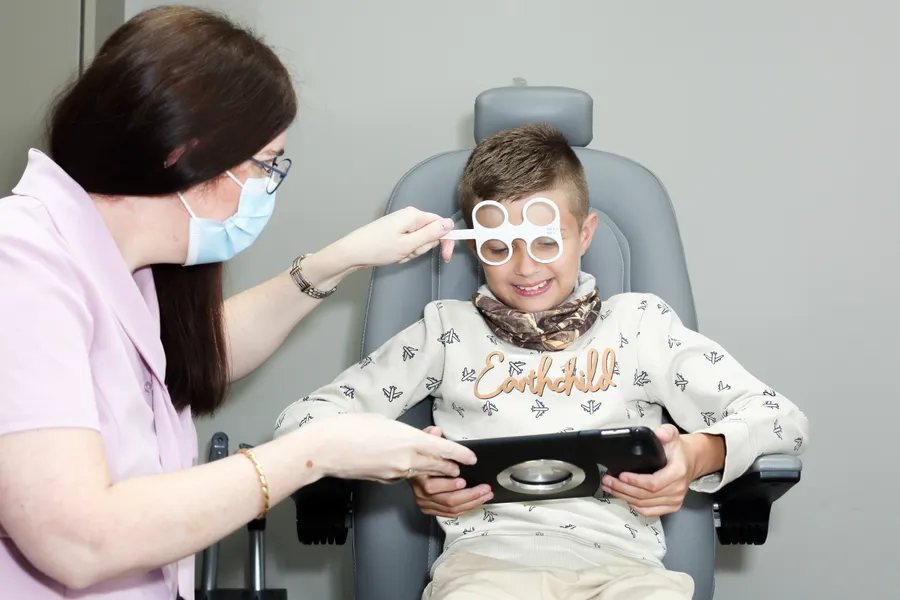
An optometrist fitting a trial frame on a boy holding a tablet in the consulting room

Do I have to score the digital tests myself?

No. Each test scores itself when it finishes and saves the result straight into the patient’s record, compared with the norm for their age.
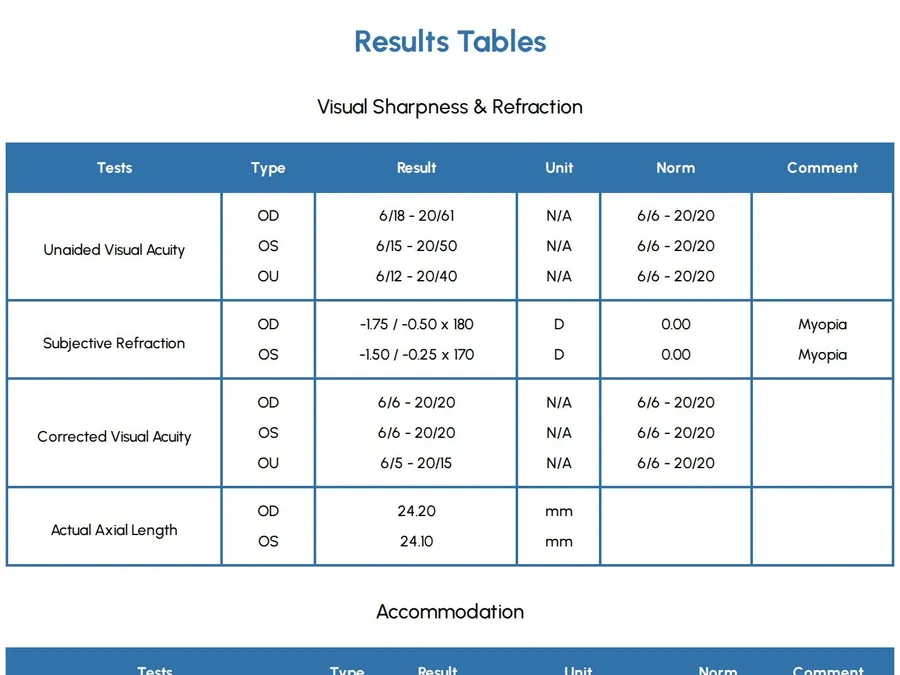
An Eyeli results table listing each test’s result next to the norm

What does the patient need at home?

A laptop or tablet and the secure login you give them. Phones aren’t supported: the screen is too small for accurate results.

A girl at home in an armchair, smiling at a laptop on her lap

How do I see what they did at home?

Every session saves itself to the patient’s record, with the exercise, the time spent and the score. There is nothing for the patient to upload or send.
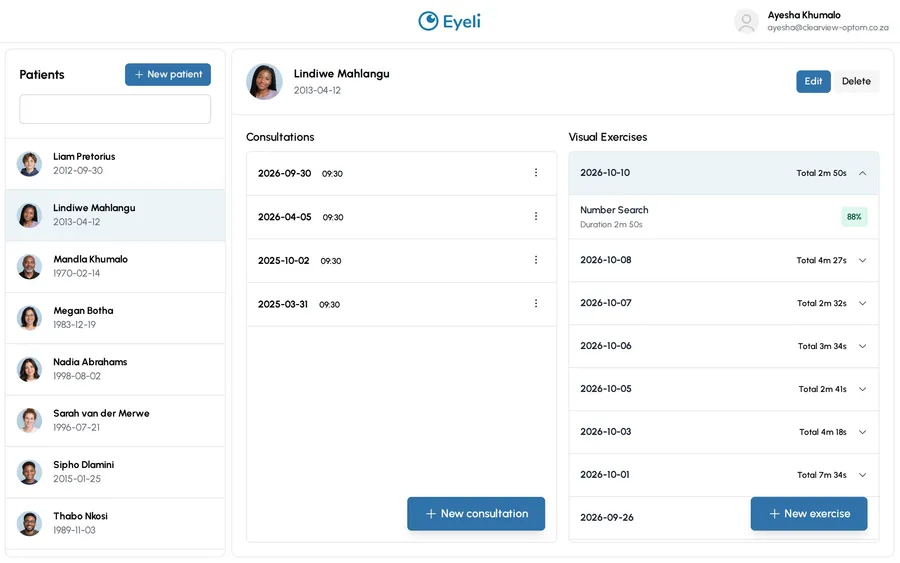
A patient’s page in Eyeli with their home exercise sessions listed by date

Can therapy happen in the practice instead?

Yes. Run sessions in the practice, at home, or a mix of both. They all land in the same record.
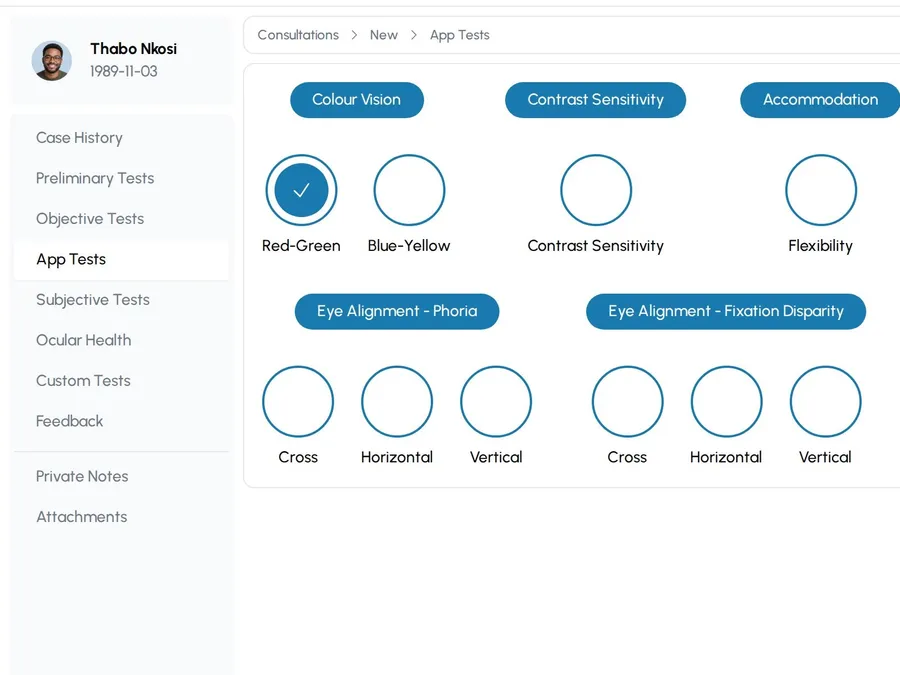
A consultation in progress in Eyeli, with a circle to start each test from the consulting room

Walk through it yourself.

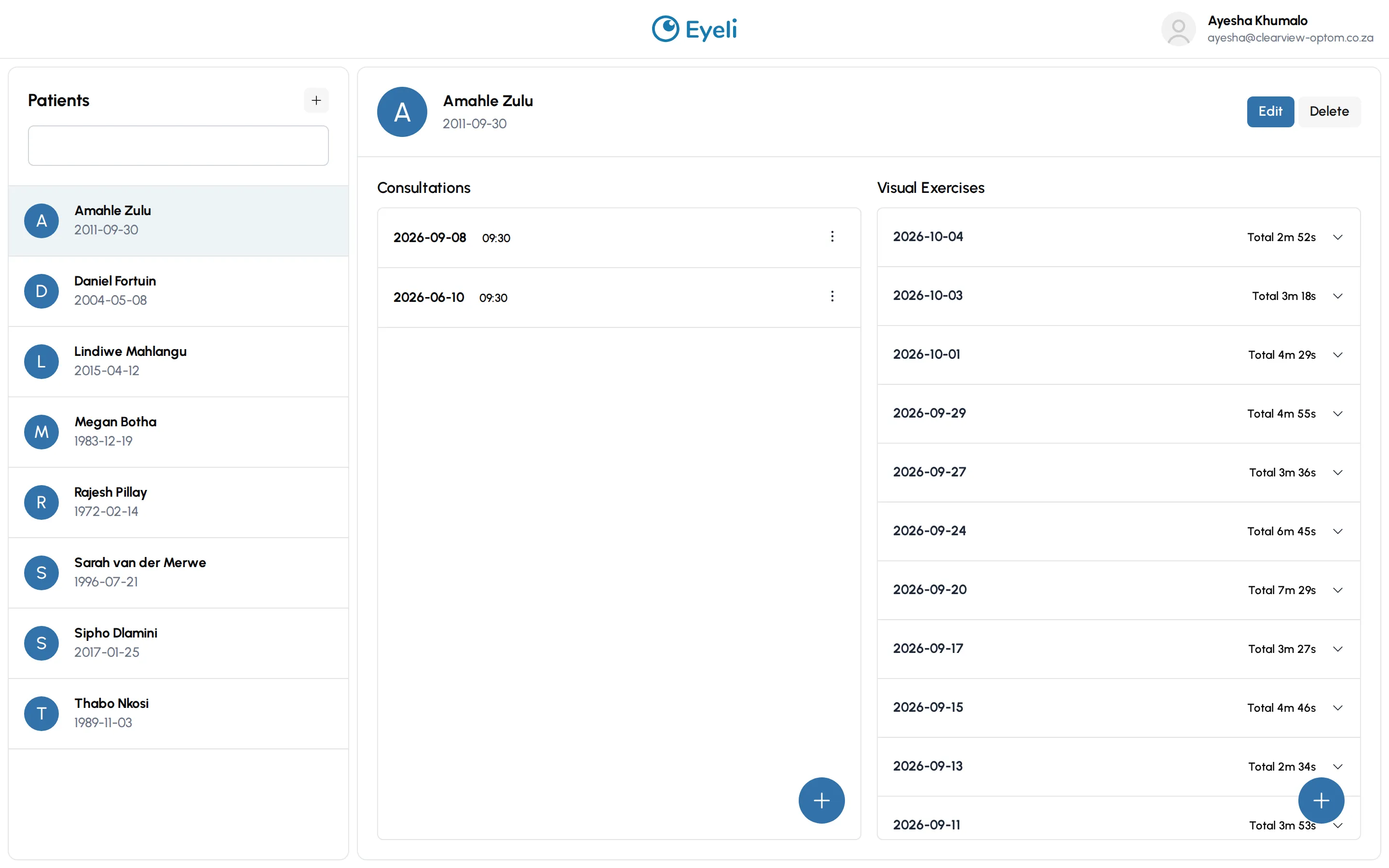
This is the real Eyeli app on a sample practice. Open a patient and their consultation as the practitioner, then switch to the patient view to see the exercises they do at home. It resets on every load, so nothing is saved.

The Eyeli practitioner view: a patient list on the left, and a selected patient's consultations and visual exercises on the right

Ready to see more patients in less time?

Try Eyeli free for 14 days.
No credit card needed.

Tap the image to zoom