
Install Eyeli
Add Eyeli to your device for one-tap access - no app store required.
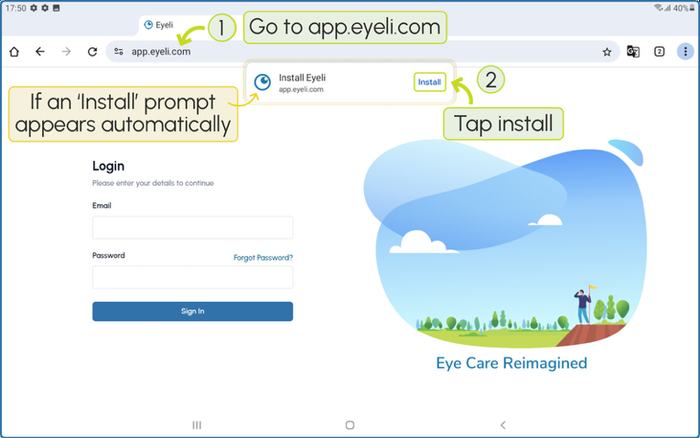
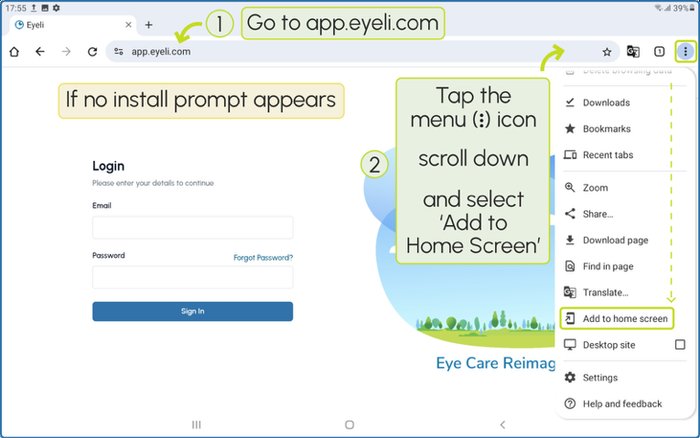
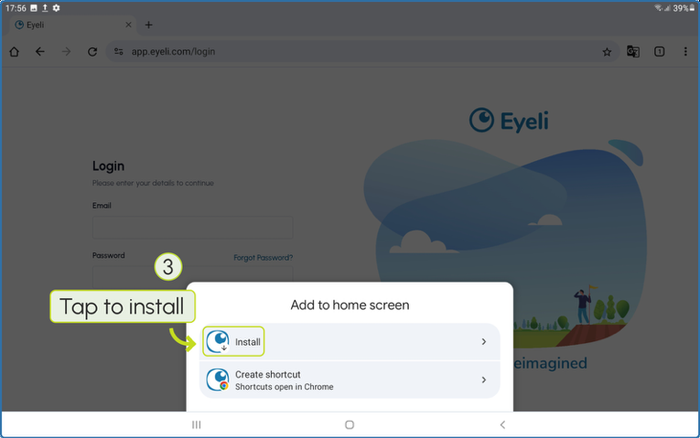
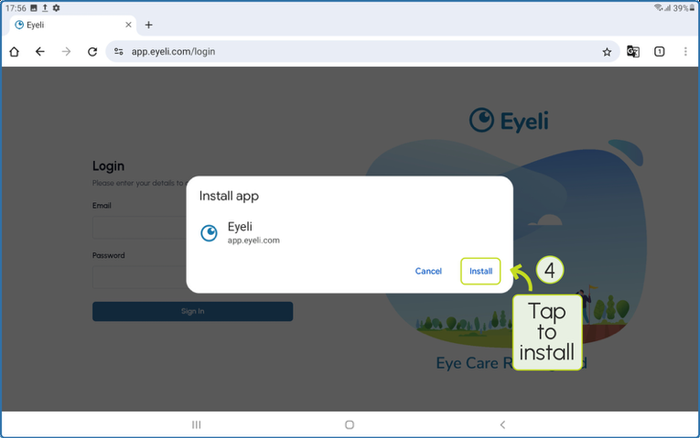
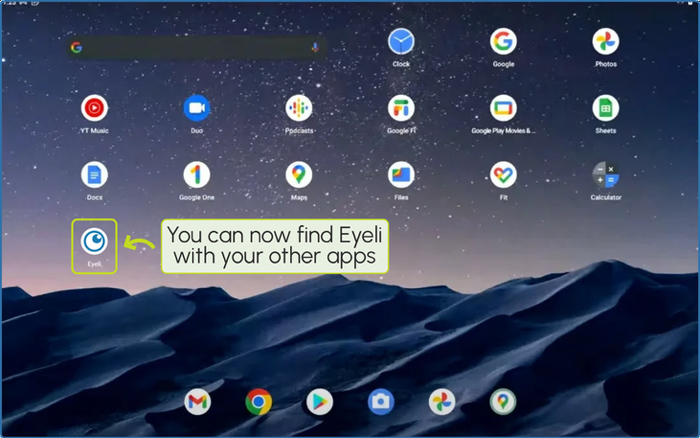
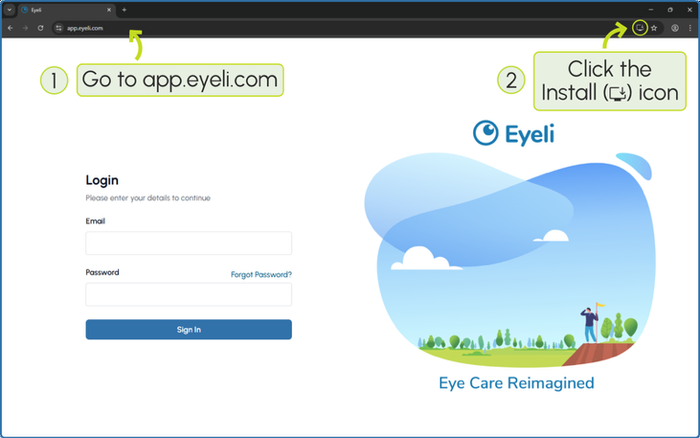
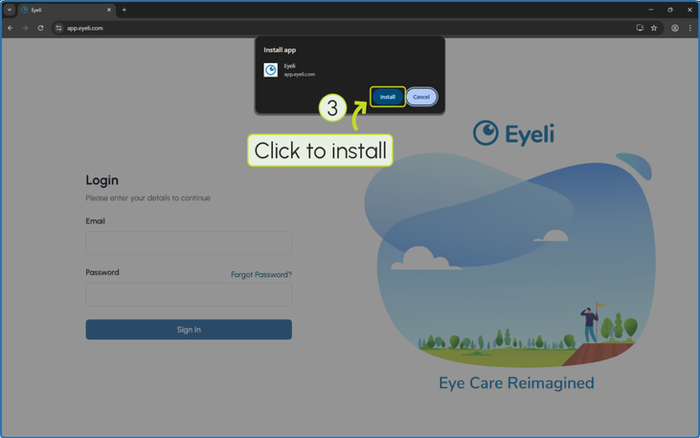
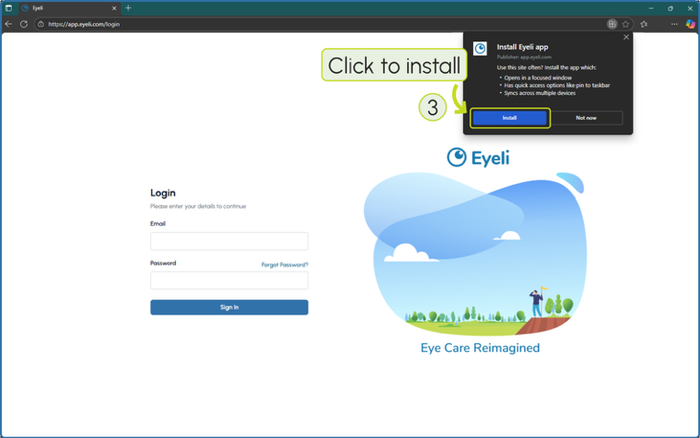
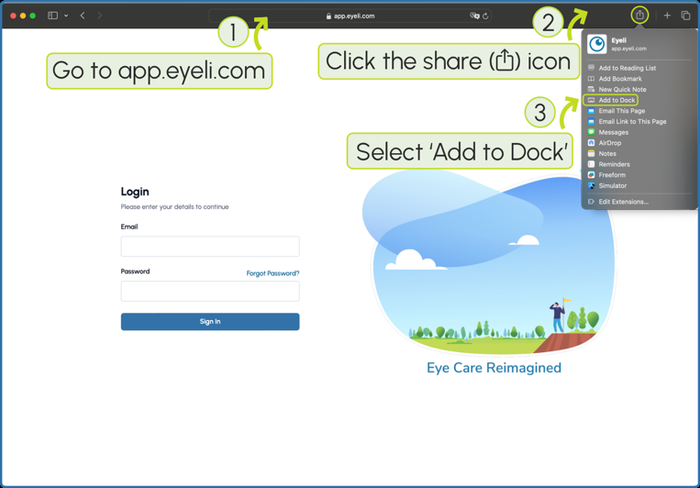
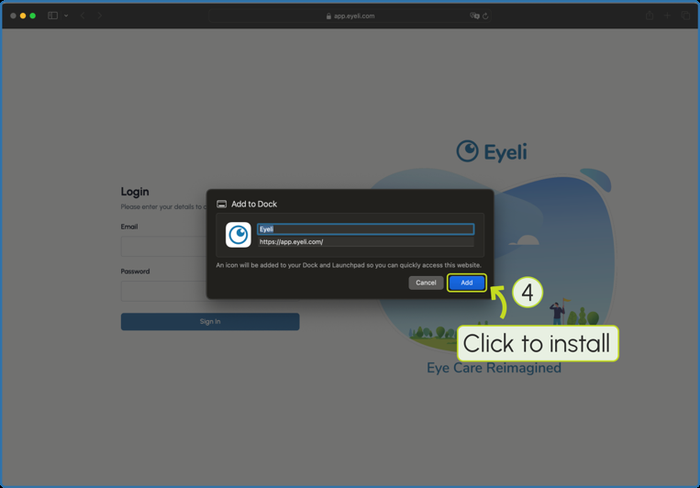
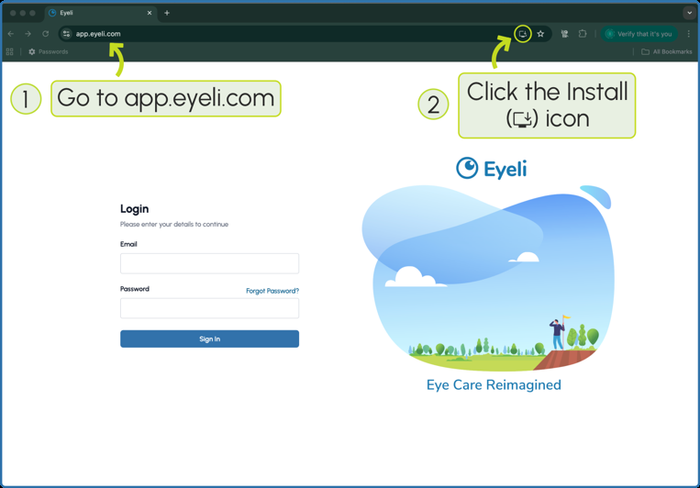
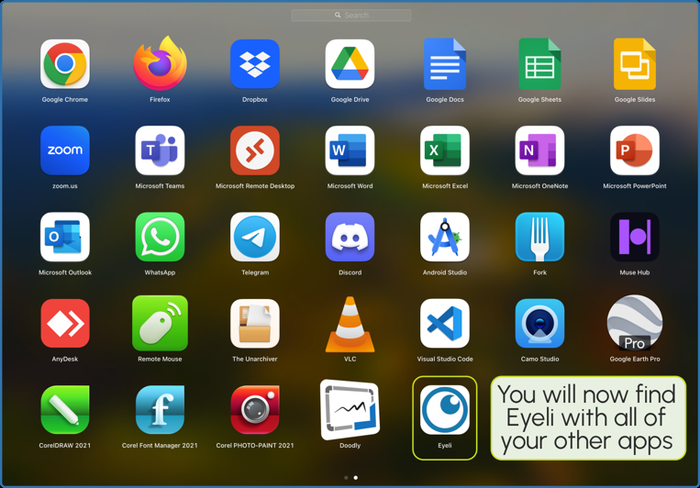
Eyeli is a cloud-based web app - there is nothing to download from an app store. You can use it directly in the browser at app.eyeli.com, or install it to your device for a faster, full-screen experience with its own icon.
Installing is optional. Everything in Eyeli works the same in the browser - installing just gives you a one-tap icon and a distraction-free, full-screen window.
Watch: installing Eyeli
A walkthrough of installing Eyeli on your device
Choose your device
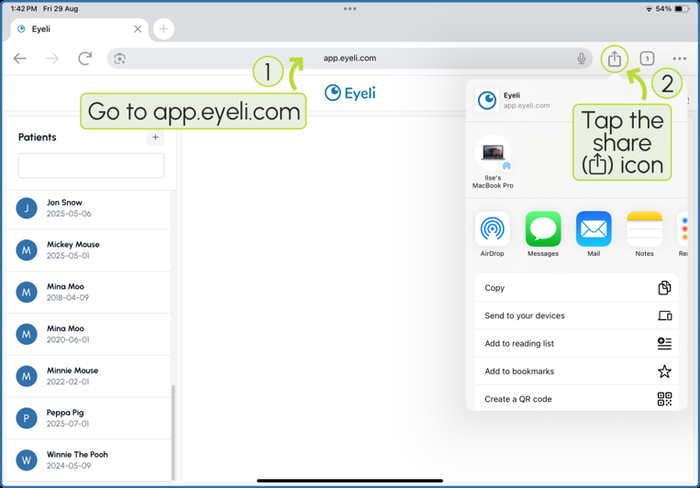
- 1
Open Safari and go to app.eyeli.com.
- 2
Tap the Share icon in the toolbar.
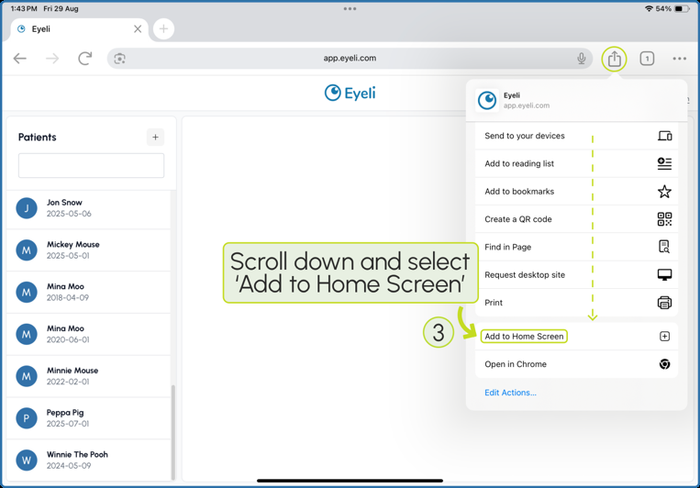
- 3
Scroll down in the share sheet and select Add to Home Screen.
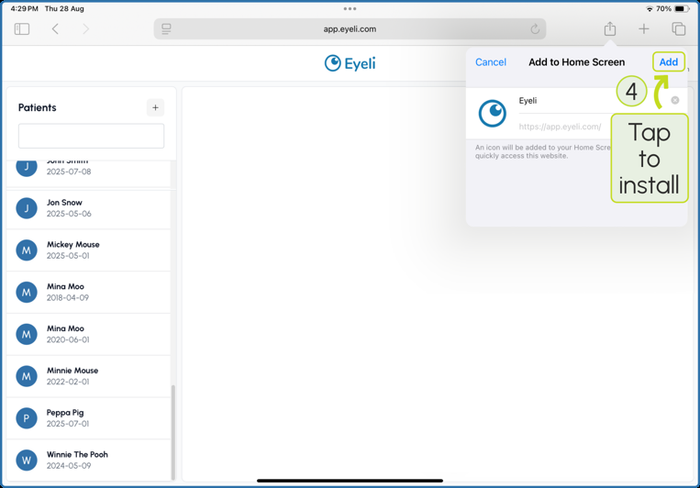
- 4
Tap Add to confirm.
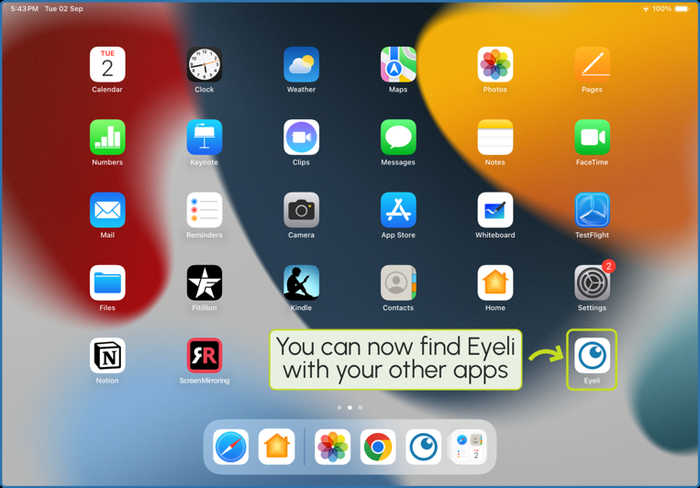
- 5
Eyeli now appears as an app icon on your Home Screen and opens full-screen, without the Safari address bar.
Next steps
- Launch Eyeli - log in and get your first consultation running