
Adding Feedback to Reports
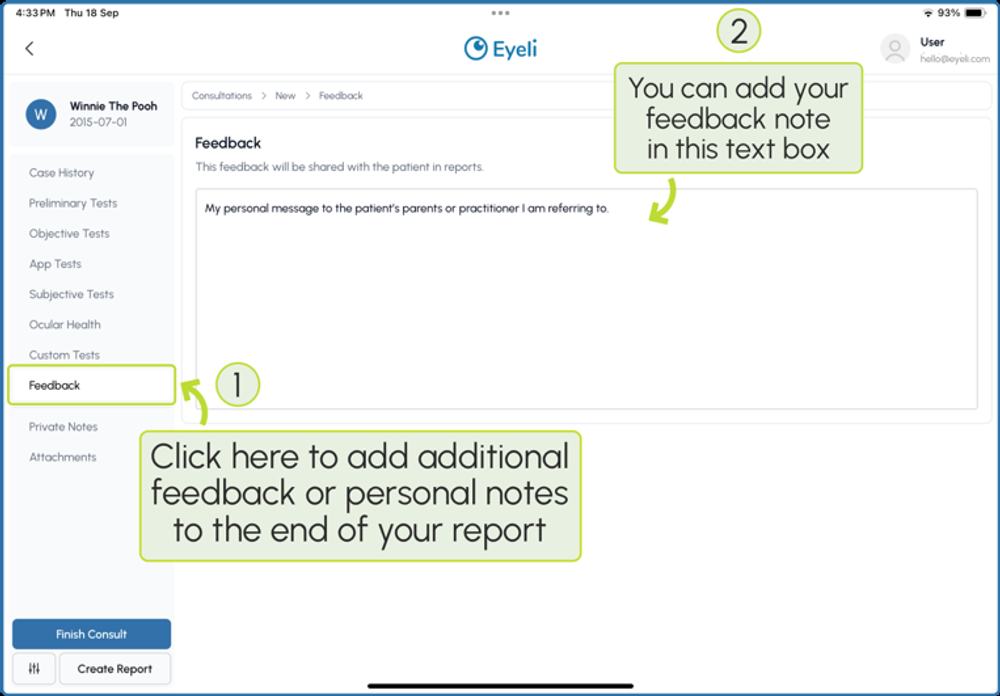
Add a personal note or feedback message that is shared with the patient at the end of their report.
- In the consultation menu, select Feedback.
- Add your feedback or a personal note in the text field.
ℹ
Note
This feedback is shared with the patient in reports, so it will appear at the end of the generated report alongside your clinical summary.