Creating Custom Results
Record results for any test not already included in the Eyeli health record.
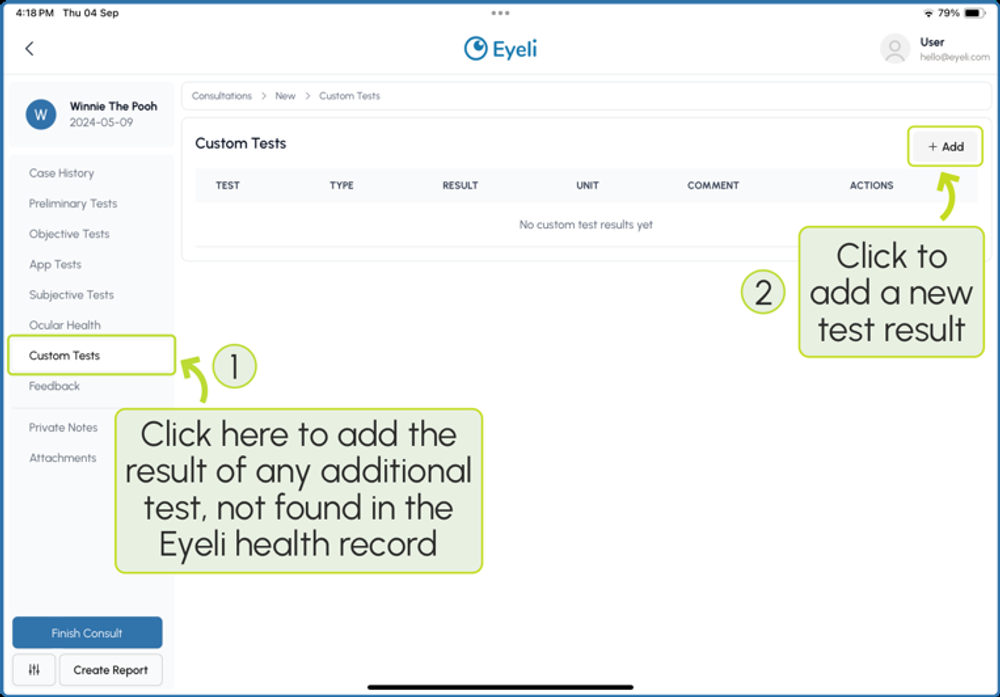
From the consultation menu, select Custom Tests to add the result of any additional test not found in the Eyeli health record.
Adding a custom result
Click + Add, then fill out the form to reflect how you would like the result to appear in the results table.
| Field | Description |
|---|---|
| Category | The grouping the result falls under, e.g. Eye Alignment |
| Name | The name of the test, e.g. Phoria Near - Von Graefe |
| Type | Horizontal or Vertical |
| Result, Norm, Unit, Comment | The measured value and any supporting context |
✦
Tip
For example, to add a Von Graefe near horizontal phoria result: Category = Eye Alignment, Name = Phoria Near - Von Graefe, Type = Horizontal.
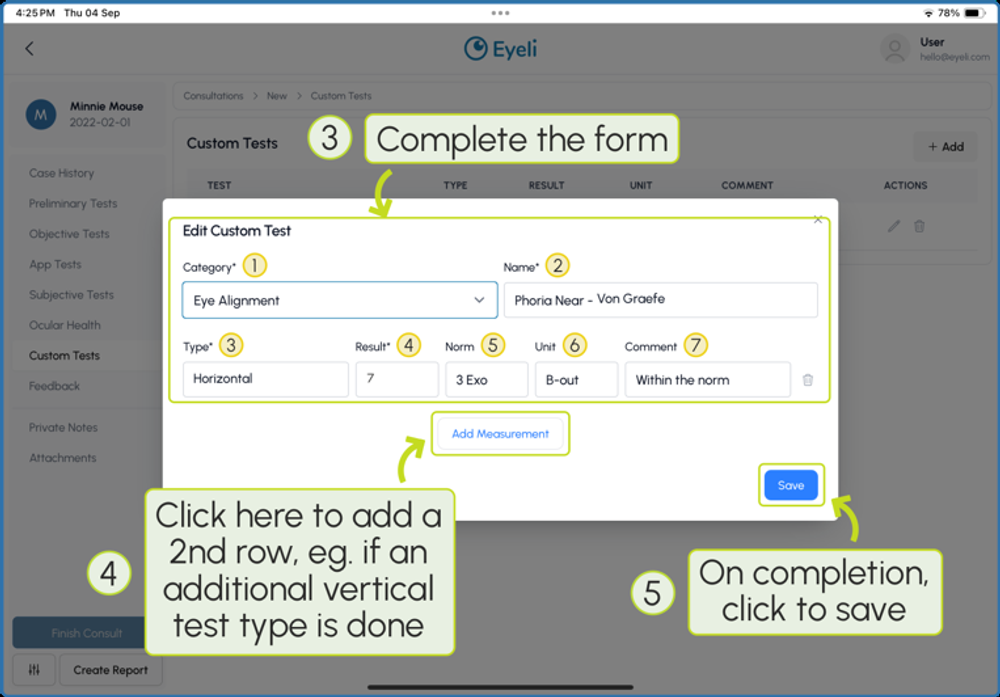
Click Add Measurement to add a second row - for example, if an additional vertical test type is done for the same test - then click Save once complete.
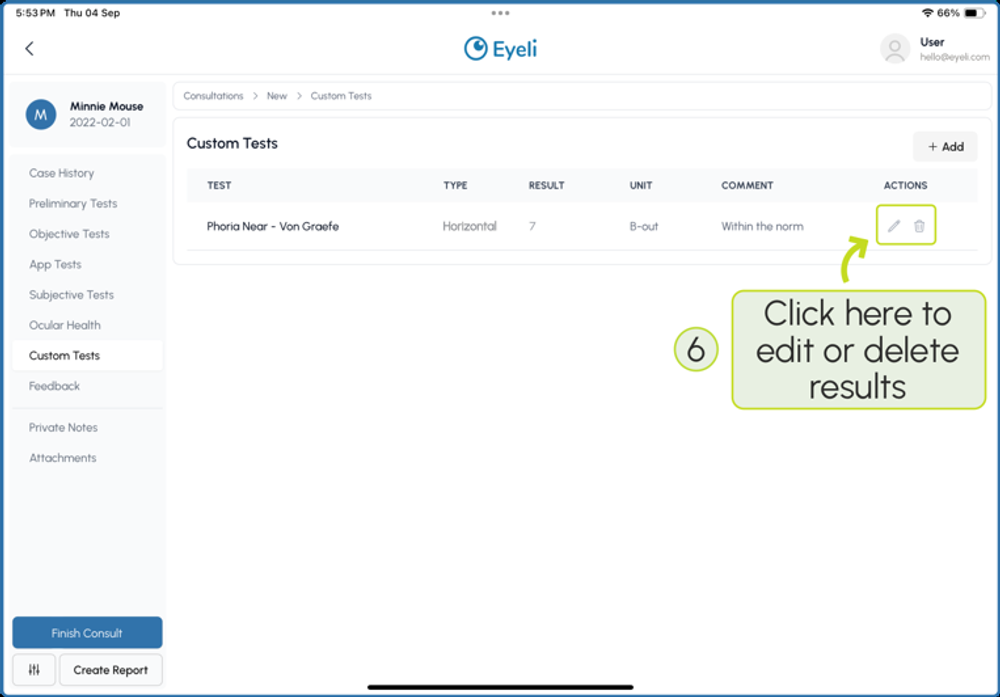
Managing custom results
Your custom test result can be edited or deleted at any time, and will appear alongside your other results in the patient report.